
9Proxy sells residential proxies in two forms, and the form decides how you set it up. GB plans give you a hostname, port, username and password that work in any browser or tool, with no app to install. IP plans work through the 9Proxy desktop app, which forwards each residential IP to a local port on your computer. This guide covers the 9Proxy download for PC (Windows, macOS and Linux) and the phone apps, then the setup for each plan.
Which 9Proxy plan do you have?
| Detail | GB plan (per-GB traffic) | IP plan (per-IP) |
|---|---|---|
| Billed by | Traffic used | Number of IPs |
| Desktop app needed | No | Yes (Windows, macOS or Linux) |
| Where you get the proxy | Dashboard → Proxy Generator | App → Proxy List → Forward to Port |
| Proxy format | hostname:port:username:password | 127.0.0.1:port on your PC |
| Works on phones | Directly, as an HTTP proxy | Through your PC on the same network, or directly with the ProxyHub Lite app |
| 27Proxy product | 9Proxy GB | 9Proxy IP |
If you are not sure what a residential proxy does, read What is a residential proxy and how does it work first.
Download 9Proxy for PC (Windows)
Download 9Proxy only from the Windows download page on 9proxy.com. Copies hosted elsewhere can be modified. If you don't have a 9Proxy account yet, you can sign up at 9proxy.com; the sign-up links in this guide use 27Proxy's referral code.
What 9Proxy's download page lists for Windows:
- Windows 8 and later for the installer; a separate legacy portable build supports Windows 7
- The portable build runs on x64, x86 and ARM without installation
- Administrator rights for the installer
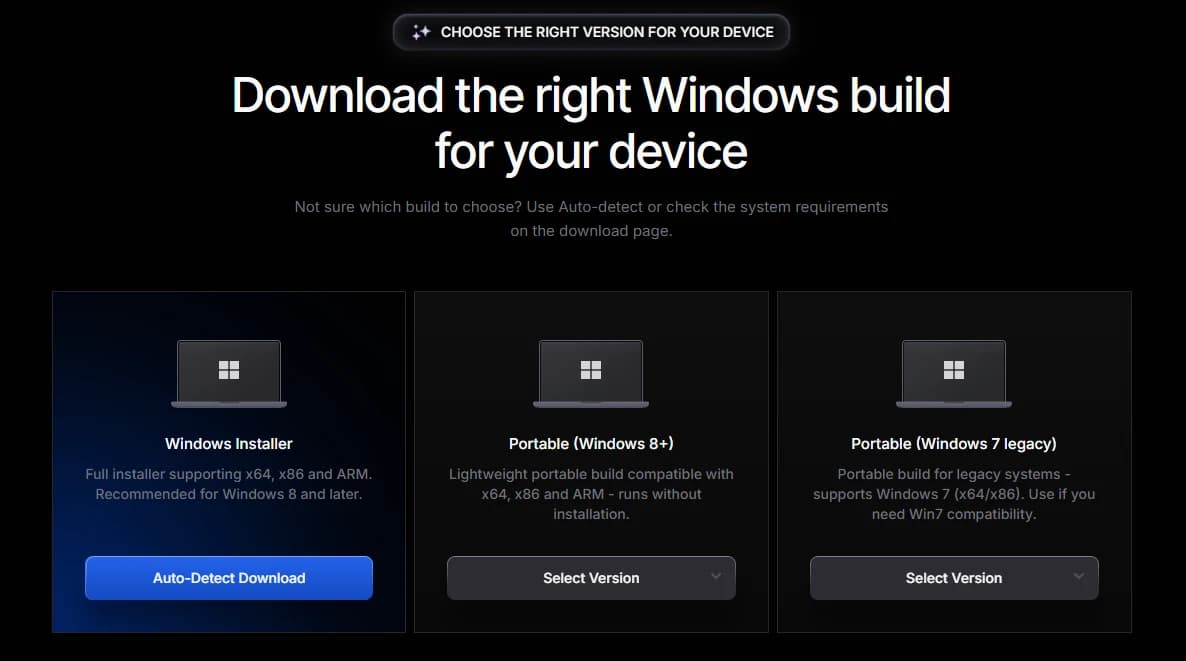
The Windows download page offers three builds:
- Installer: x64, x86 or ARM. Auto-Detect Download picks the right one for your PC.
- Portable (Windows 8 and later): a zip file. Extract it and run the app, with nothing installed.
- Portable (Windows 7): a legacy build for older PCs.
Step 1
Download the installer
Open the Download page on 9proxy.com and choose Auto-Detect Download under Installer.
Step 2
Run it as administrator
Right-click the downloaded file and choose Run as administrator.
Step 3
Finish the setup wizard
Keep the default folder, C:\Program Files\9Proxy, or choose another, then finish the wizard.
Step 4
Log in to 9Proxy
Open 9Proxy and log in with your 9Proxy account.
Download 9Proxy for macOS, Linux, Android and iPhone
- macOS: download the macOS build from the same menu.
- Linux: .deb (Debian, Ubuntu) and .rpm (Red Hat, CentOS) packages for amd64 only, installed with apt or yum.
- Android: the ProxyHub Lite app, installed from an APK file.
- iPhone: 9Proxy's download page lists ProxyHub Lite for iOS as a developer preview (IPA) installed with AltStore, Sideloadly or Xcode and signed with your own Apple ID. If you only need a GB proxy on an iPhone, you can skip the app and use the Wi-Fi proxy setting shown below.
9Proxy's ProxyHub Lite guide describes Quick Connect, a proxy list filtered by country, state, city, ZIP or ISP, Switch IP, and a 24H List for reusing recent proxies at no extra cost. Split Tunneling is Android-only. On iOS, tap Allow when asked to add a VPN configuration.
Add your 9Proxy code
27Proxy delivers your 9Proxy code to the Orders page after payment is confirmed. To add it to your 9Proxy account:
- Log in to your 9Proxy account, or sign up at 9proxy.com, and open the Dashboard.
- In the left menu, under Manage, open Share Code. The Shared with me tab opens first.
- Paste your code into the Redeem Code box and select Redeem Code.
- IP codes are added to Remaining IPs and GB codes to Total Traffic. The redeemed code is listed under Shared with me with its value.
Use a 9Proxy IP plan on PC
- Open the 9Proxy app and go to Proxy List.
- Filter by country, state, city or ISP.
- Right-click a proxy and choose Forward to Port. You can also forward several at once, or forward to a free port.
- Open Forwarding List and run Proxy Check to confirm the proxy is online.
- Copy the local address, such as 127.0.0.1 with the port shown, into your browser or tool.
An IP is deducted from your balance when you forward it. IPs you used in the last 24 hours stay in Today List, and forwarding one of those again within 24 hours costs nothing. You can also turn on a username and password for forwarded ports.
Use a 9Proxy GB plan
- In the Dashboard, open Residential Proxies by GB and select Get Proxy.
- In Proxy Generator, choose User-Pass (a sub-user with its own traffic allocation, or unlimited) or IP whitelist.
- Choose a country, and optionally a state, city or ISP.
- Choose Rotating for a new IP on each request, or Sticky to keep one IP for a set number of minutes.
- Choose the quantity and a format such as hostname:port:username:password, then copy the list.
How to use 9Proxy on iPhone
GB plan on iPhone
- Open Settings, then Wi-Fi, and tap the (i) next to your network.
- Tap Configure Proxy and choose Manual.
- Enter the hostname as Server and the port as Port.
- Turn on Authentication and enter the username and password.
- Tap Save.
This setting covers HTTP proxies on that Wi-Fi network only. It does not apply on mobile data.
IP plan on iPhone
Forward the IP to a port on your PC first. Then use your PC's local network IP address and the forwarded port as the iPhone's Wi-Fi proxy. Both devices must be on the same network. For a SOCKS5 proxy, use an app such as Shadowrocket: tap +, choose SOCKS5 as Type, enter the IP and port, and connect.
How to use 9Proxy on Android
- Open Settings, then Wi-Fi, and edit your network (long-press it or tap the gear icon).
- Open Advanced options and set Proxy to Manual.
- Enter the hostname and port, then save.
Android also accepts an HTTP proxy in the mobile data access point (APN) settings. For an IP plan, use your PC's local IP and forwarded port, as on iPhone.
Buy 9Proxy codes
Buy 9Proxy GB codes for per-GB traffic with no app, or 9Proxy IP codes for per-IP use through the desktop app. Compare other plans in Residential GB and Regular IPs.
Common questions
Do I need the 9Proxy app for a GB plan?
No. A GB plan works with the hostname, port, username and password from Proxy Generator, in any browser or tool that accepts proxy credentials.
Why does my IP plan only work on my PC?
IP plans run through the desktop app, which forwards each IP to a port on that computer. Other devices reach it through the PC's local IP on the same network. If you want the proxy on the phone itself without a PC, 9Proxy's ProxyHub Lite app connects one proxy directly to the device.
Where do I get help with the 9Proxy app?
9Proxy support is at support@9proxy.com or through the contact page on 9proxy.com; the official documentation is at docs.9proxy.com. For a 27Proxy order, contact 27Proxy support.